Books that keep themselves.
Every payment, refund, Stripe and Square fee, expense and paid payroll becomes an entry on its own. Connect QuickBooks Online and both books match, line by line.
Bookkeeping is an add-on at $29 a month. The QuickBooks Online connection comes with it.
You work as usual. The books follow.
Work as usual
Invoice, get paid, approve expenses and close payroll in Crewstro. Nothing is typed twice.
The books build themselves
On a cash basis: income enters when the client pays, expenses when approved or paid. Sales tax and tips go to their own accounts, and each processor fee is its own entry.
Read it, or send it
Reports for you, an export for your accountant, or QuickBooks Online connected so everything also lands there.
Your numbers where you start the day.
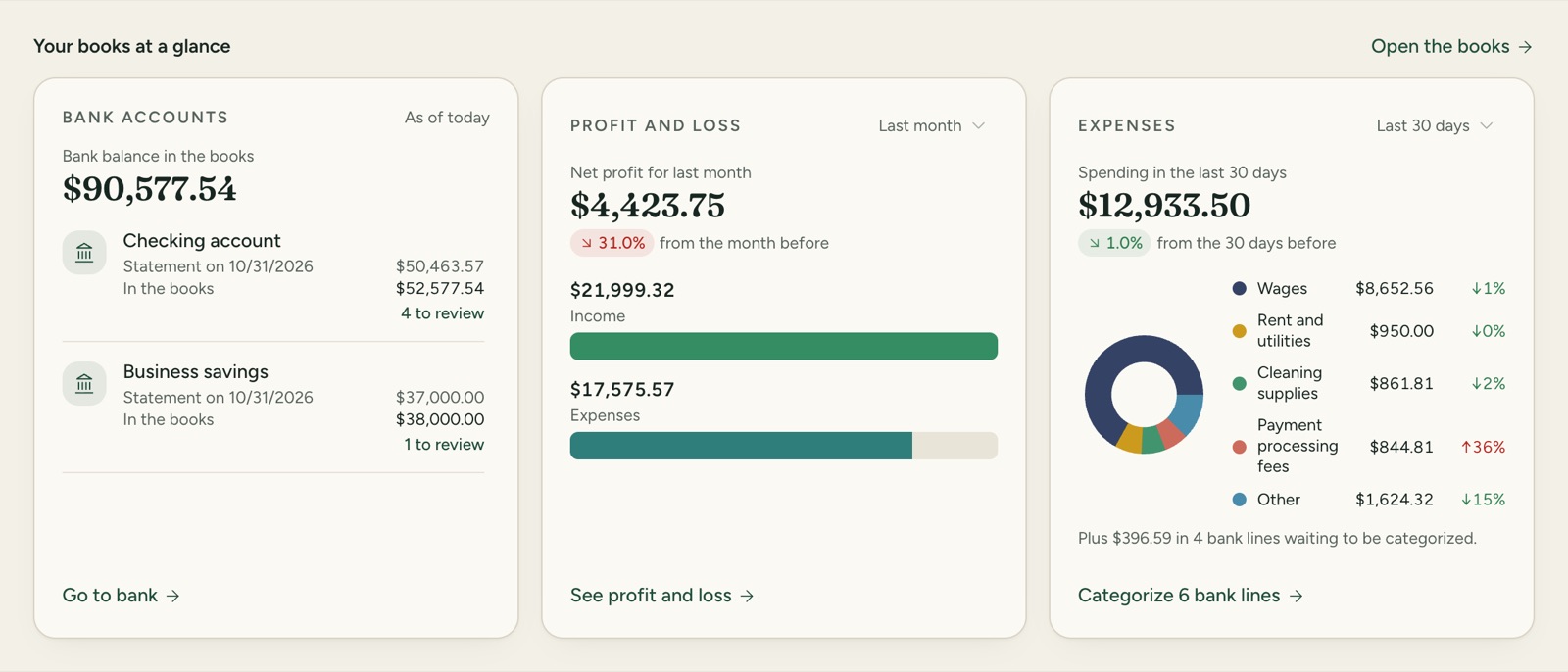
Three cards in the spirit of the QuickBooks home: bank balance in the books, profit and loss with the part still to review, and where the money went in the last 30 days.
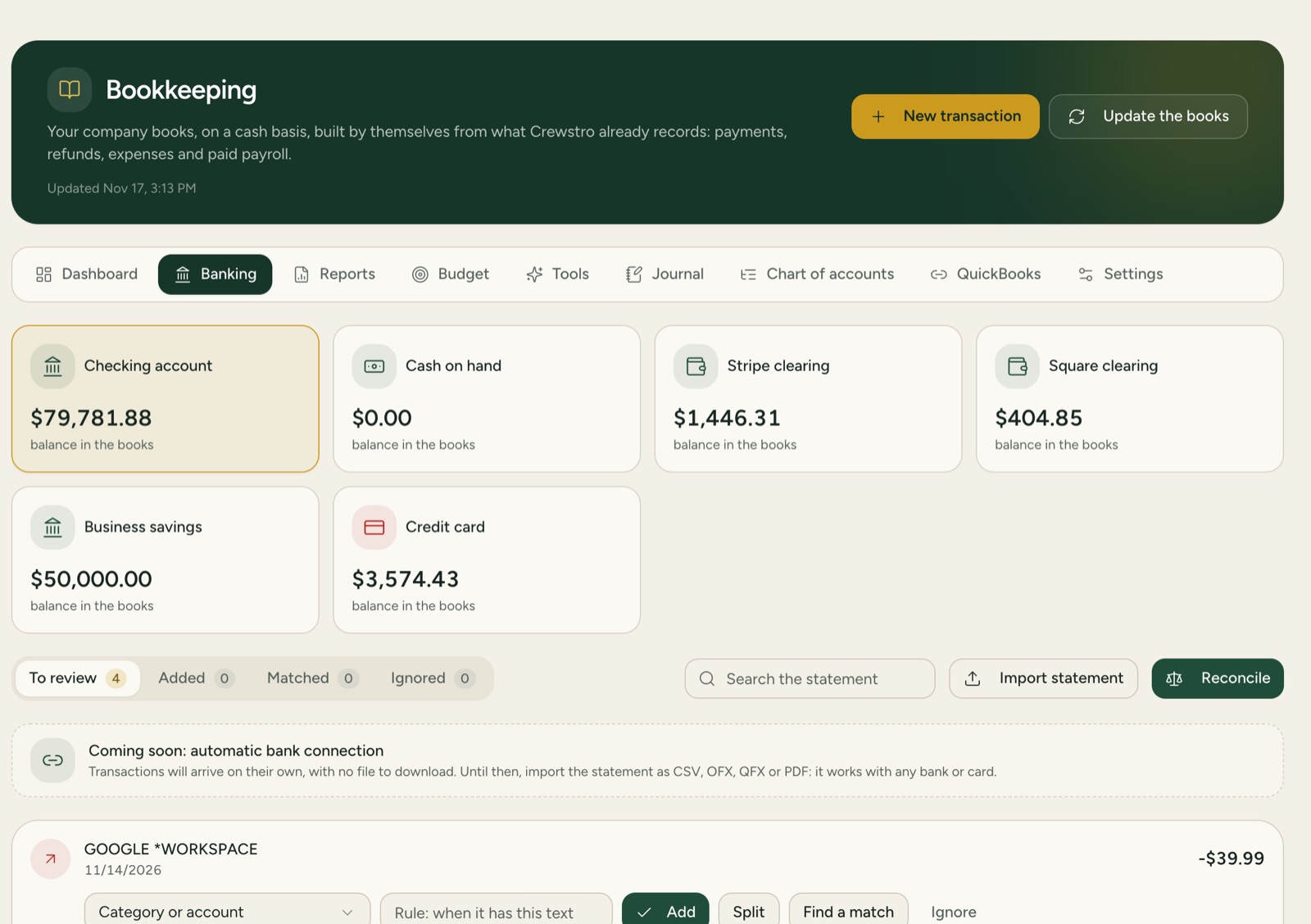
The bank statement, reviewed in minutes.
Import the statement as CSV, OFX, QFX or PDF. For each line, pick a category, save a rule for next time, split it, or find the matching payment. Then reconcile the month.
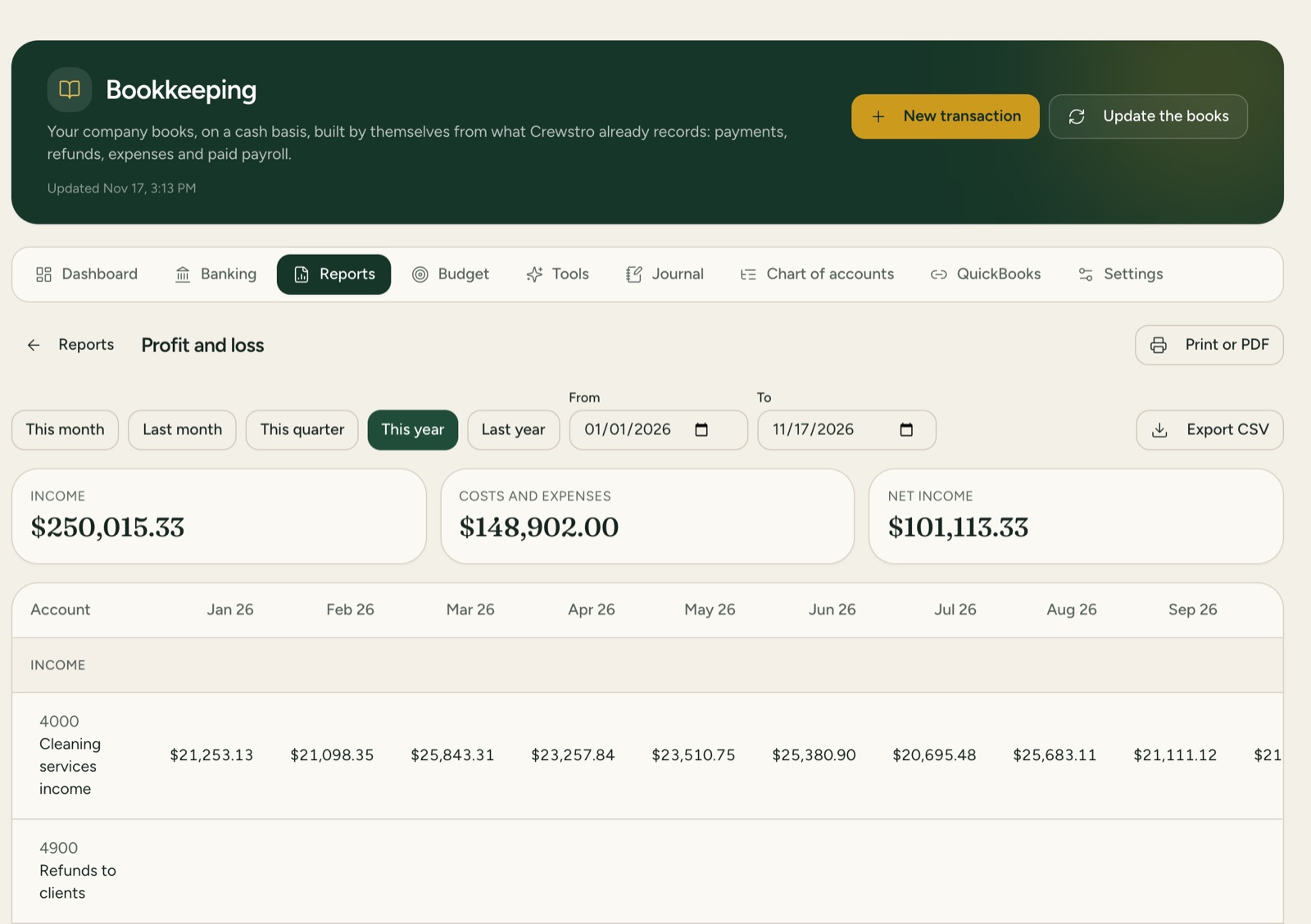
The reports an accountant asks for.
Profit and loss month by month, balance sheet with trial balance, expenses by category, income by client, receivables and payables by age. Print to PDF, or export every entry as CSV or in the QuickBooks import format.
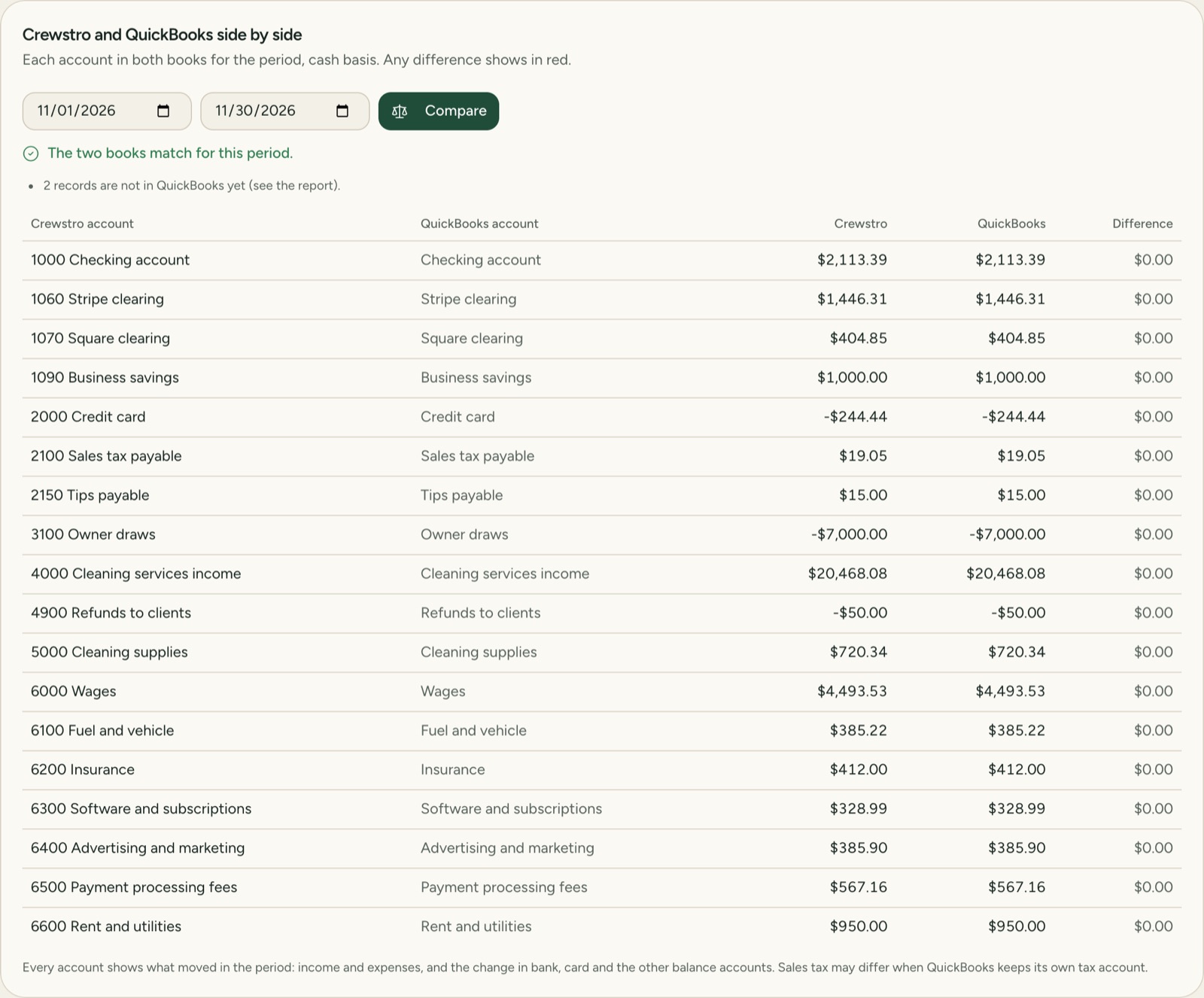
QuickBooks that matches, line by line.
Clients, services, invoices, payments, refunds, processor fees, expenses, payroll and every other entry go to QuickBooks Online every 10 minutes. One screen puts both books side by side, account by account, and shows any difference in red.
When it is not sure, it asks.
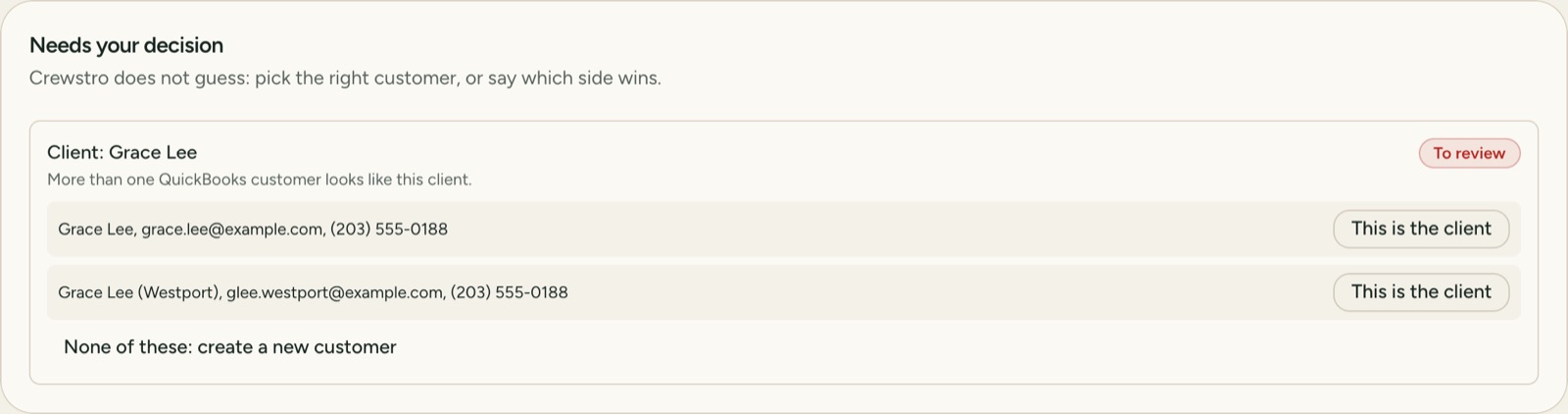
Existing QuickBooks customers are matched by email, then phone, then name. If a client looks like more than one, you choose. If someone changes a record in QuickBooks after Crewstro sent it, nothing is overwritten: you decide which side wins.
Every record, accounted for.
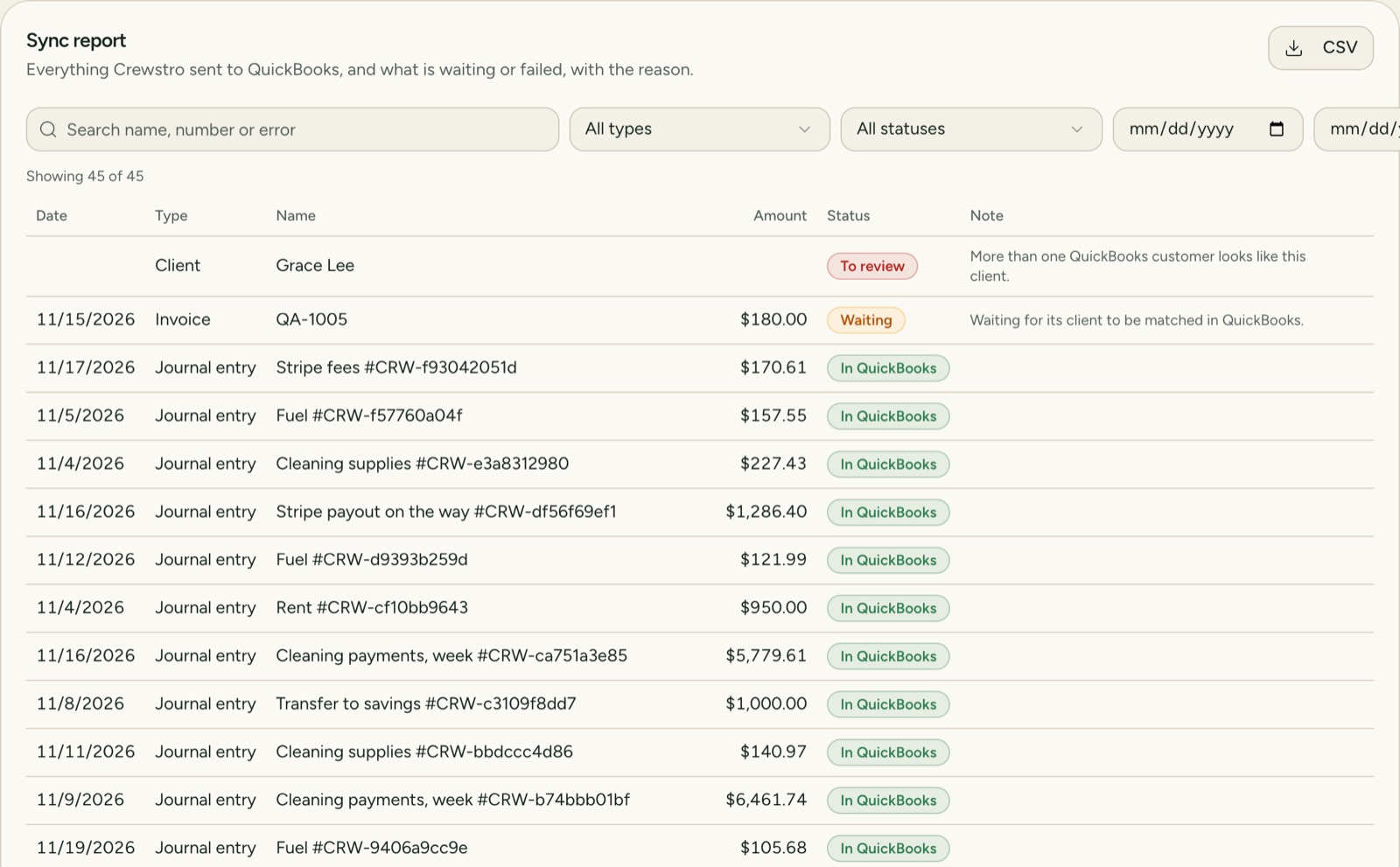
Search, filter by type, status and date, and download as CSV. Anything that did not go shows the reason in plain words, with a button to try again.
What is inside.
A budget for the year
Plan by account and month, then see planned against actual as the year goes.
Access for your accountant
Four levels: reports only, view, post, or full. The accountant sees the books, not your schedule or clients.
Close the month
Once closed, the month stays as it was. A change that arrives later is flagged for review instead of moving old numbers.
Tips paid out
Tips sit in their own account until you pay them out, with payroll or outside it.
What if
Try a price change, more or fewer jobs, or a new monthly cost, and see the profit of a typical month.
Your chart of accounts
It starts ready for a cleaning company. Rename, add accounts, and set opening balances on the day you start.
Asked before you.
Do I need QuickBooks?
No. Bookkeeping works on its own. QuickBooks Online is optional, for companies whose accountant already works there.
How much does it cost?
Bookkeeping is an add-on at $29 a month, and the QuickBooks Online connection comes with it. The QuickBooks subscription itself is paid to Intuit.
Will it change what my accountant does in QuickBooks?
No. Crewstro only sends what it recorded. It never edits or deletes what someone entered directly in QuickBooks, and those entries show in a list so nobody is surprised.
Cash or accrual?
Crewstro keeps cash basis books. The side by side comparison uses the QuickBooks cash basis reports, so the numbers mean the same on both sides.
Does it connect to my bank?
Not on its own yet. You import the statement file from your bank, and the lines wait for review.
Does it file my taxes?
No. It keeps the books and the reports ready, and your accountant files.
QuickBooks and QuickBooks Online are trademarks of Intuit Inc.